

Work > Onboard and customise preferences for MS Power Automate Desktop app
Onboard and customise preferences for MS Power Automate Desktop app
Problem
First run users are asked to sign in at a minimal landing page without having a clue what the product is about and before realising how to create value with it (Pre-sign in). Adding to that, there is a high drop off rate from current sign in page especially regarding users coming from MS Store.
Furthermore, the hurdles to start using the product are quite high especially for inexperienced users (lack of onboarding) while users of all experience levels with RPA and/or Power Automate Desktop are set on the same path (lack of personalisation) without any guidance or recommendations on how to begin their automation journey.
Last but not least, users are not supported by a solid and efficient learning experience with relevant resources for help throughout FRE and D1-D100 (lack of learning support).
Furthermore, the hurdles to start using the product are quite high especially for inexperienced users (lack of onboarding) while users of all experience levels with RPA and/or Power Automate Desktop are set on the same path (lack of personalisation) without any guidance or recommendations on how to begin their automation journey.
Last but not least, users are not supported by a solid and efficient learning experience with relevant resources for help throughout FRE and D1-D100 (lack of learning support).
Solution
Propose a simpler and modernised experience guiding users, through awareness to engagement and adoption as effortlessly possible. Enable them to launch and start using the product in a practical way responding to their level of familiarity and needs.
As well as support them in every step of their journey with a personalised experience including relevant examples and additional learning resources according to their preferences.
Impact
↳ Increased user awareness and clarity about the value proposition before sign-in
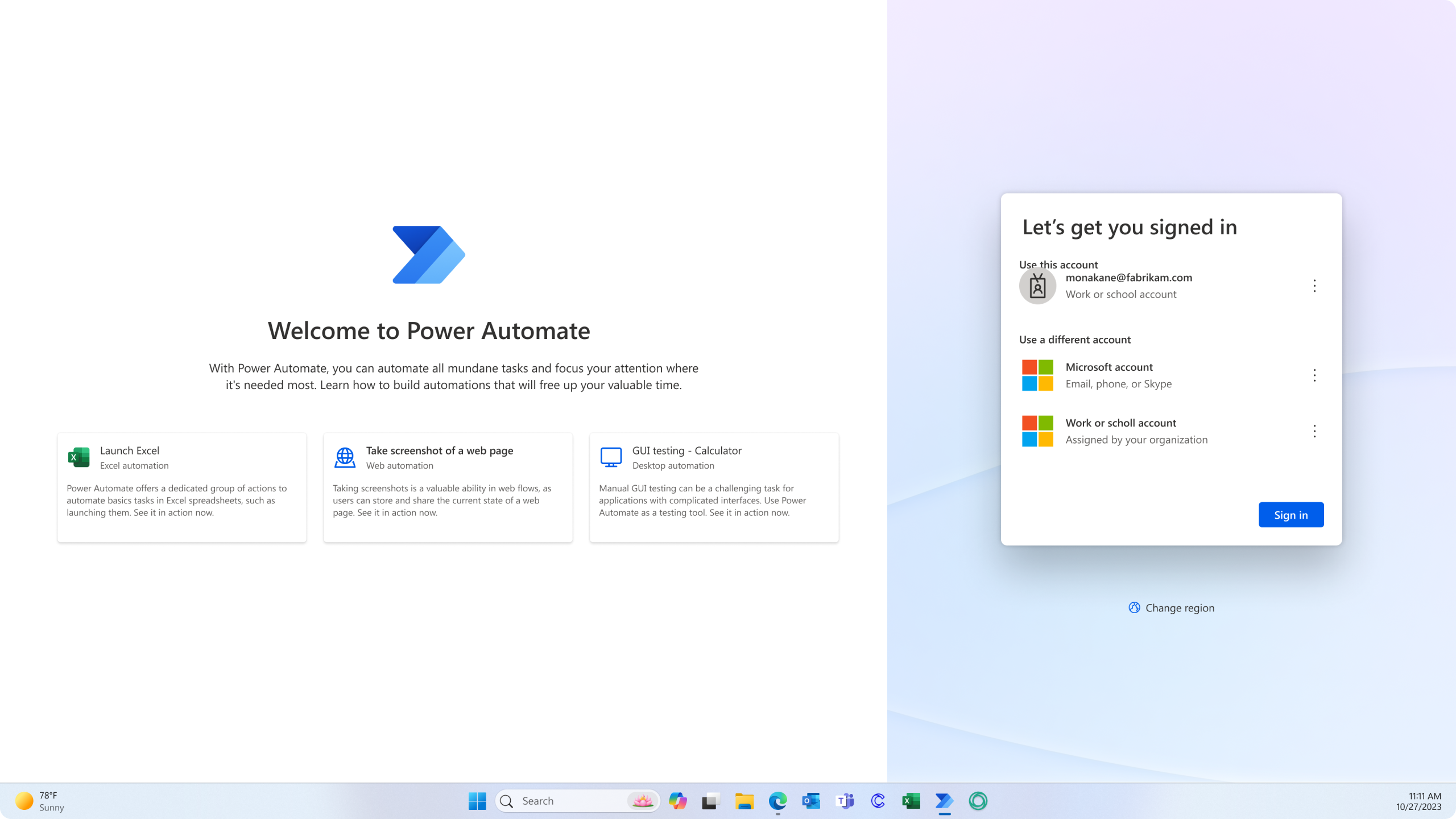
↳ User engagement with real life automation examples (video examples of specific use cases) on how they can create value with the tool before sign in, so they can move on with using the product more confidently
↳ Raised usability throughout first run and D1-D100 and support learning experience at every stage of their automation journey, enabling users to create more successful automations effortlessly (efficiency, effectiveness and user satisfaction) leading to a deeper and more productive use of the product (influencing higher NPS and lower IPD KPIs)
↳ Raised usability throughout first run and D1-D100 and support learning experience at every stage of their automation journey, enabling users to create more successful automations effortlessly (efficiency, effectiveness and user satisfaction) leading to a deeper and more productive use of the product (influencing higher NPS and lower IPD KPIs)
Role and responsibilities
↳ Product Designer
↳ UX Design, Information Architecture, UI Design, User Research, Figma Prototyping, Spot Illustrations, Microsoft Fluent Design & Enterprise Illustration Systems
↳ UX Design, Information Architecture, UI Design, User Research, Figma Prototyping, Spot Illustrations, Microsoft Fluent Design & Enterprise Illustration Systems
Design solution
Step 1
✔️ Straightforward value proposition and provision of video simulations of specific automation uses cases in landing page (Pre-sign in)

Step 2
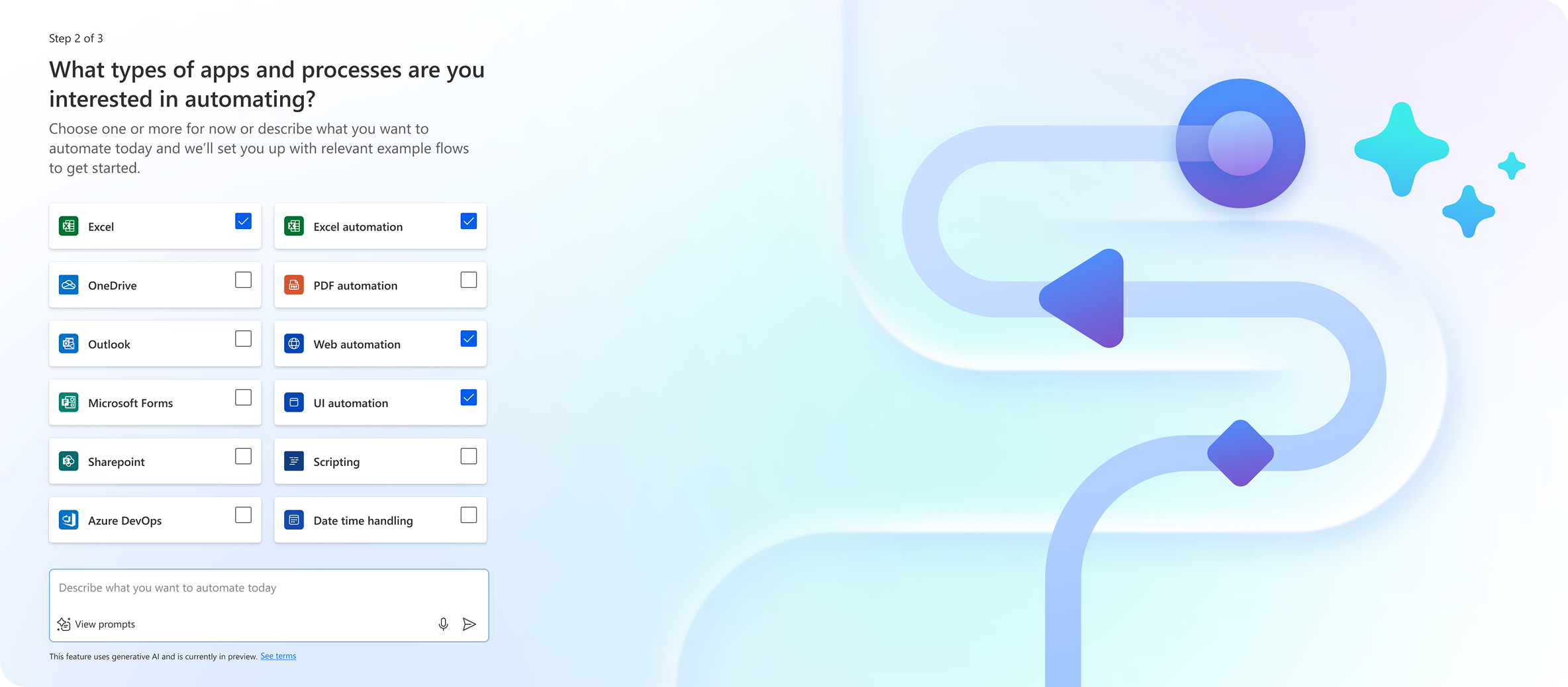
✔️ Smart onboarding (powered by AI) with personalised recommendations based on apps usage (Office 365 plan and Microsoft Graph data), level, familiarity, preferences or user intentions for first run
Step 3
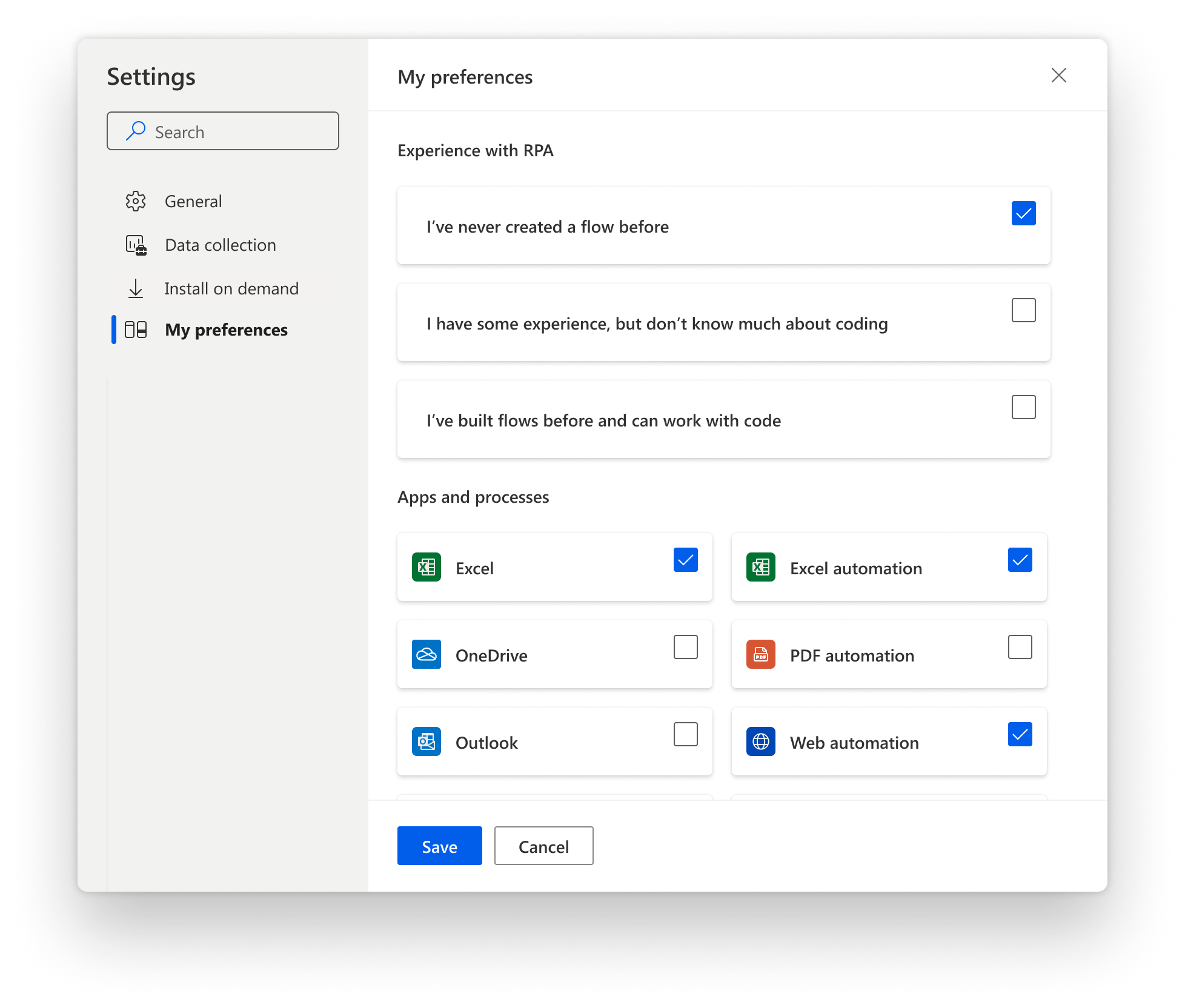
✔️ Updated learning experience with personalised recommendations, easy-to-customise user preferences and relevant examples and resources (level, familiarity and preferences) in D1-D100 scenarios
CONTACT →
