
Work  >   Install MS Power Automate Desktop apps
installon_demand_v2

Installing MS Power Automate Desktop apps

Overview
Partnered with product, user research, content design and engineering teams for envisioning, designing iteratively based on feedback and handing off this feature for development and shipping.
Conducted a comprehensive review of customer feedback, NPS studies with comments from users globally, and user research to identify common pain points and opportunities for improvement and generate actionable insights that can inform the redesign process.
Delivered flowcharts, user journey maps, user flows, usability evaluation assessments, concepts, sketches, wireframes, hero illustrations, Figma prototypes and final designs.
Power Automate Desktop (PAD) is a Microsoft application used for Robotic Process Automation (RPA), allowing you to automate repetitive desktop and web tasks using low-code, drag-and-drop actions, or a recorder on your Windows computer. It is free for Windows 10/11 users for local, manual automation, while premium licenses are needed for scheduling and cloud integration. 
Problem
Power Automate Desktop installation process is laborious, unclear and complicated, especially to users who don’t have familiarity with Robotic Process Automation (RPA). Users are asked to install added functionalities with minimum explanation and/or guidance while they also need to leave installation environment in order to complete all required steps adding more time and complexity to the overall process.
Solution

Rethink the whole process based on NPS insights and Tenets and Traps usability evaluation findings and offer a simplified and frictionless experience which both beginner and advanced users can follow intuitively.

 Impact

Cut overall installation process time by 30% and increased user efficiency and effectiveness by removing unnecessary steps while keeping users focused on task and within installation environment (directly influencing NPS) 

Guided the design process (UCD and UX Double Diamond framework) based on data from NPS surveys (Detractors), existing telemetry, customer support insights (e.g use case of mass installation and update in 1000 machines etc) and heuristic evaluation findings while sharing work-in-progress to cross-functional teams (research, content and design) from Greece and US and mentored junior designer

Aligned senior stakeholders and feature team for intended UX and related solution with mapmaking activities e.g flowcharts and user journey maps facilitating decision process
Role and responsibilities
Product Designer
UX Design, Information Architecture, UI Design, User Research, Figma Prototyping, Spot Illustrations, Microsoft Fluent Design & Enterprise Illustration Systems

Design solution

Step 1

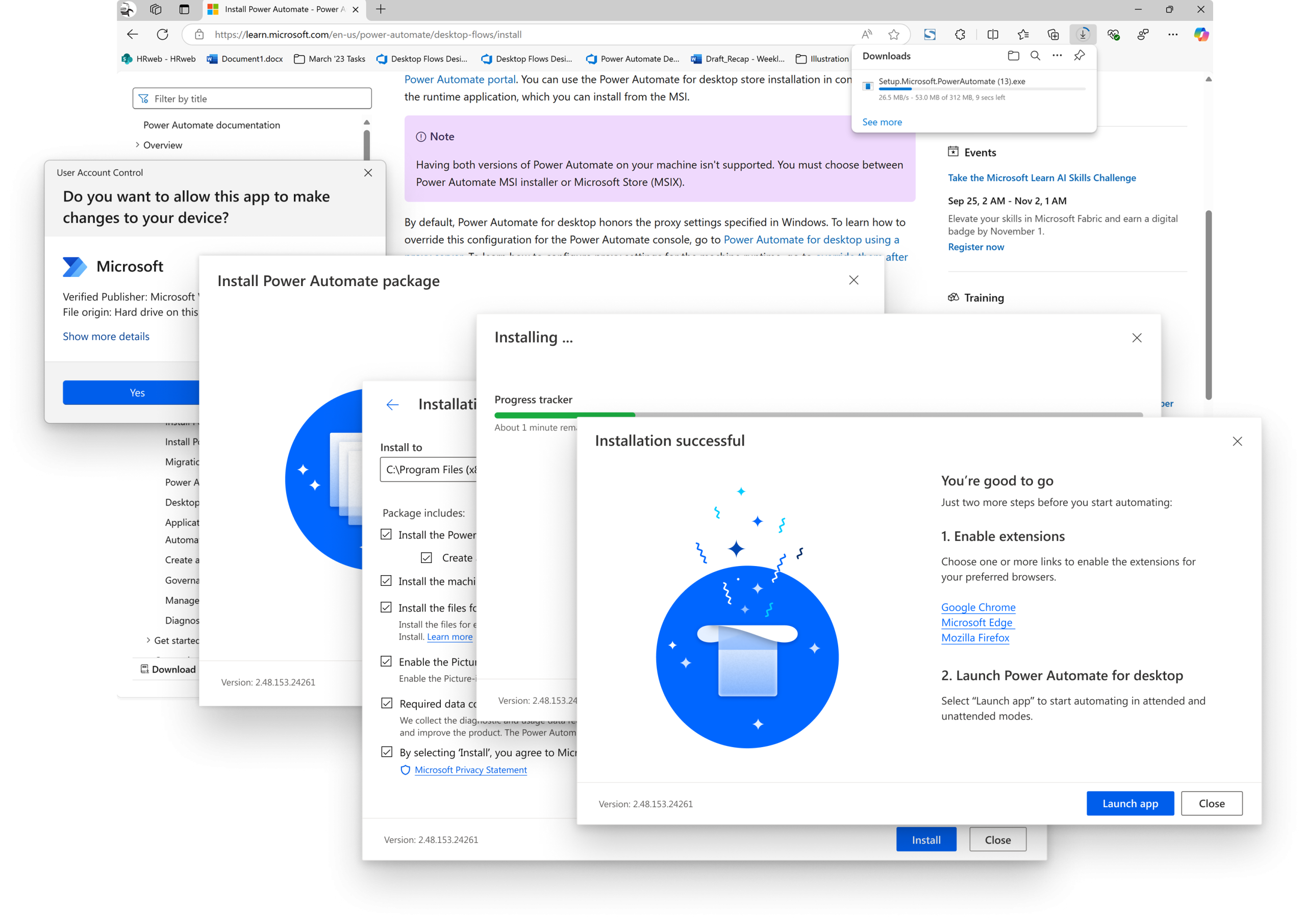
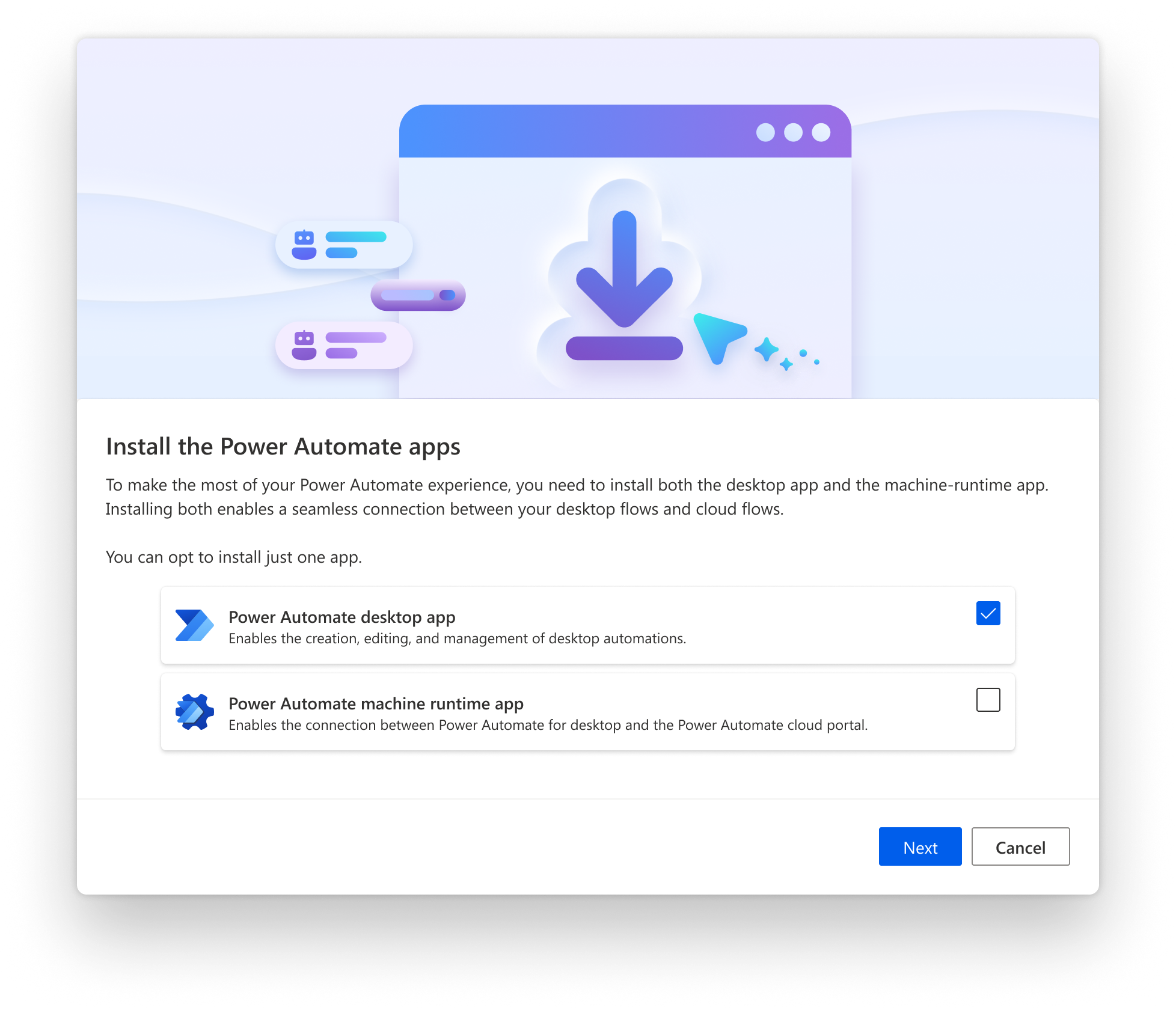
✔️ Analyzed NPS survey data and customer support insights for dealing with key customer request of update
✔️ Removed cognitive overload on first user contact by improving label groupings
✔️ Removed unnecessary process steps and create clarity from the start over which apps users can select to download and install
previous_experience
PAD app install 1v2_nobcg

Step 2

✔️ Improved navigation throughout the process by applying an appropriate wizard design pattern (MS Fluid Design system) at the modal footer
✔️ Applied clear messaging and proper UI controls and states to user selections 
✔️ Grouped advanced settings with progressive disclosure for beginner users that don’t have familiarity with RPA

Step 3

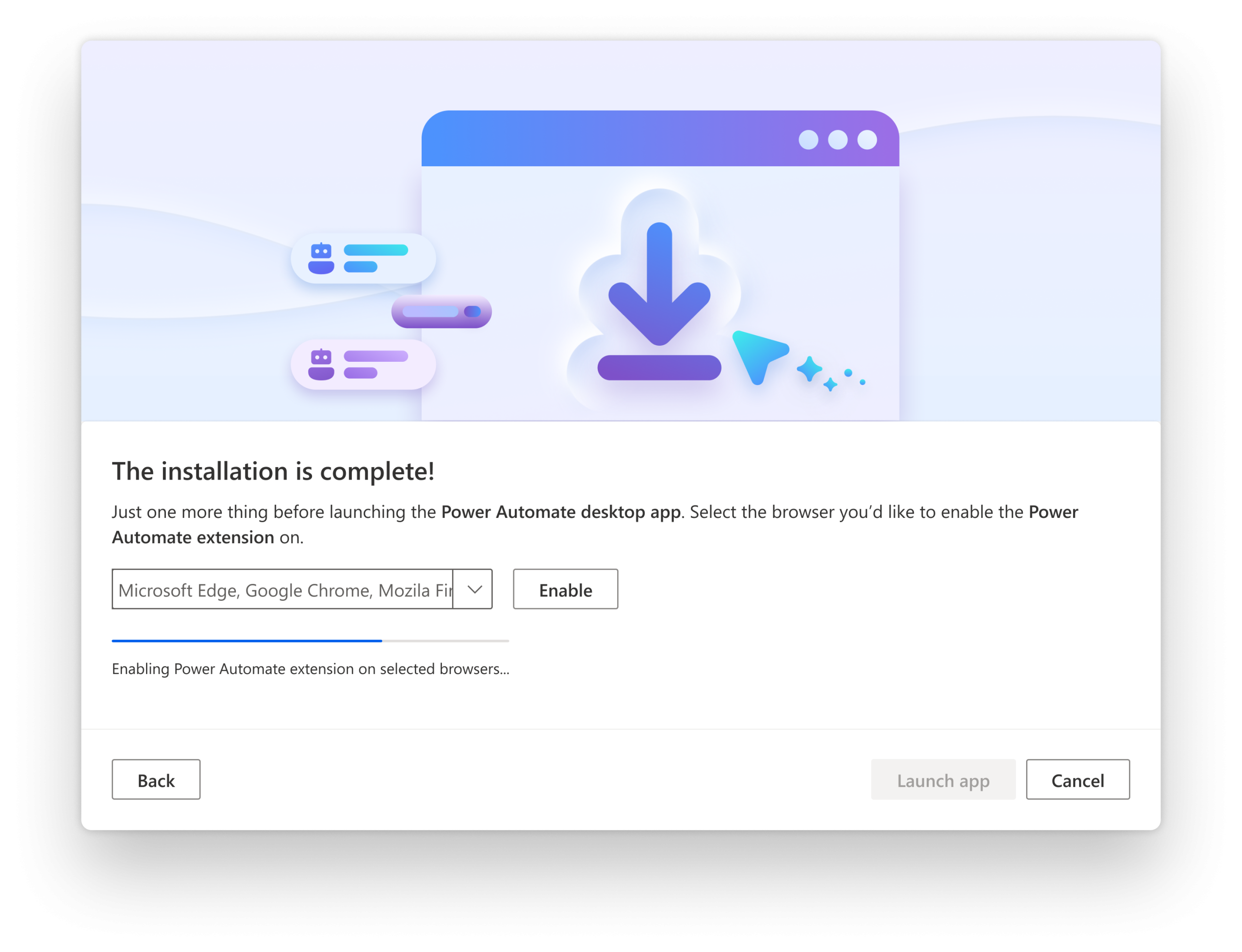
✔️ Modernized modal design and reworked spot illustration style (MS Enterprise Illustration system)
✔️ Introduced background checks and added automated steps decreasing overall process duration and saving user’s time (instead of instructing them to jump to other environments for finishing up)
PAD app install 2v2_nobcg
PAD app install 4

Step 4

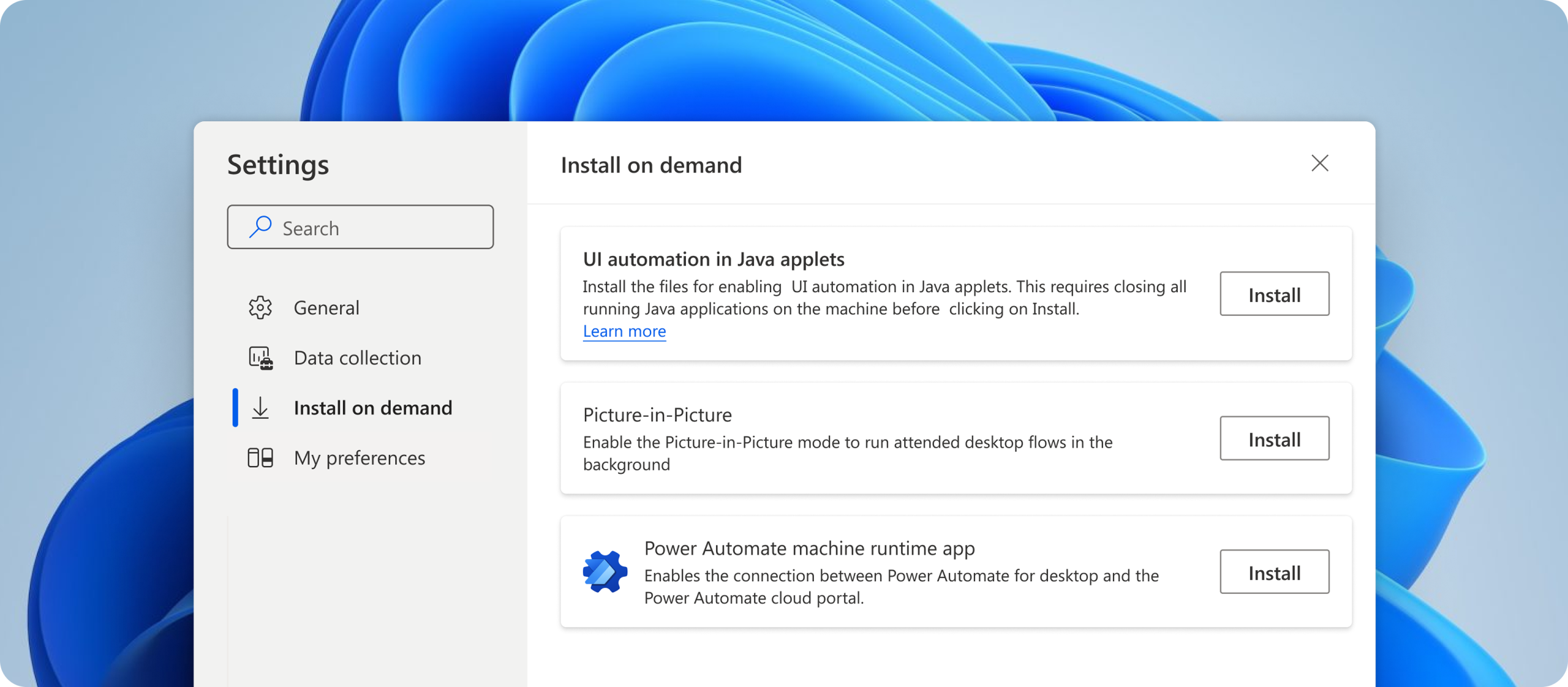
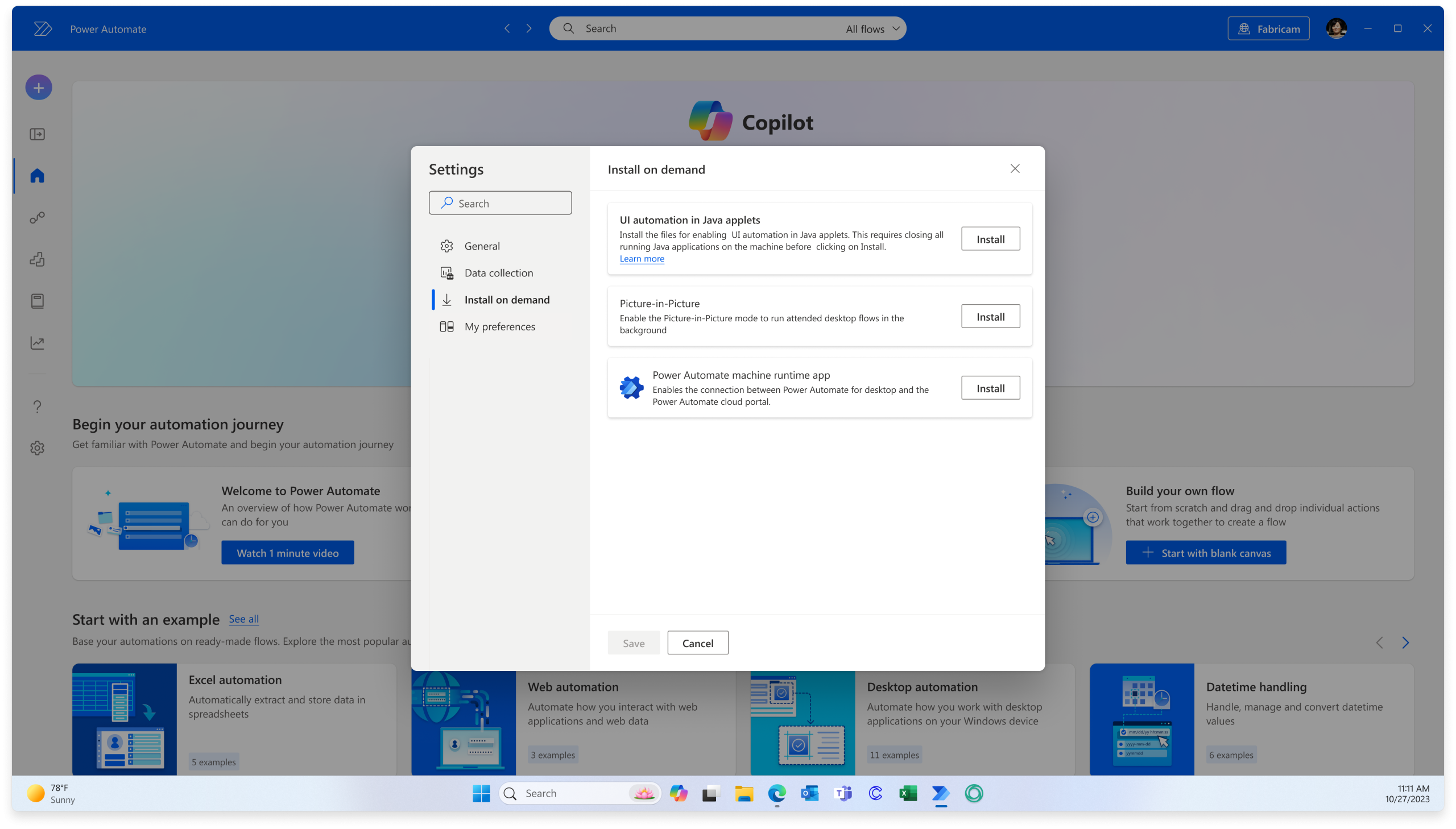
✔️ Created “Install on-demand” functionality where users can get started with basic software installation on first-run without having to install everything at first and revisit this feature after later on depending on evolving needs and/or preferences

CONTACT →

Back to top Arrow