

Work > Install MS Power Automate Desktop apps
Installing MS Power Automate Desktop apps
Rethink the whole process based on NPS insights and Tenets and Traps usability evaluation findings and offer a simplified and frictionless experience which both beginner and advanced users can follow intuitively.
↳ Cut overall installation process time by 30% and increased user efficiency and effectiveness by removing unnecessary steps while keeping users focused on task and within installation environment (directly influencing NPS)
↳ UX Design, Information Architecture, UI Design, User Research, Figma Prototyping, Spot Illustrations, Microsoft Fluent Design & Enterprise Illustration Systems
Design solution
Step 1
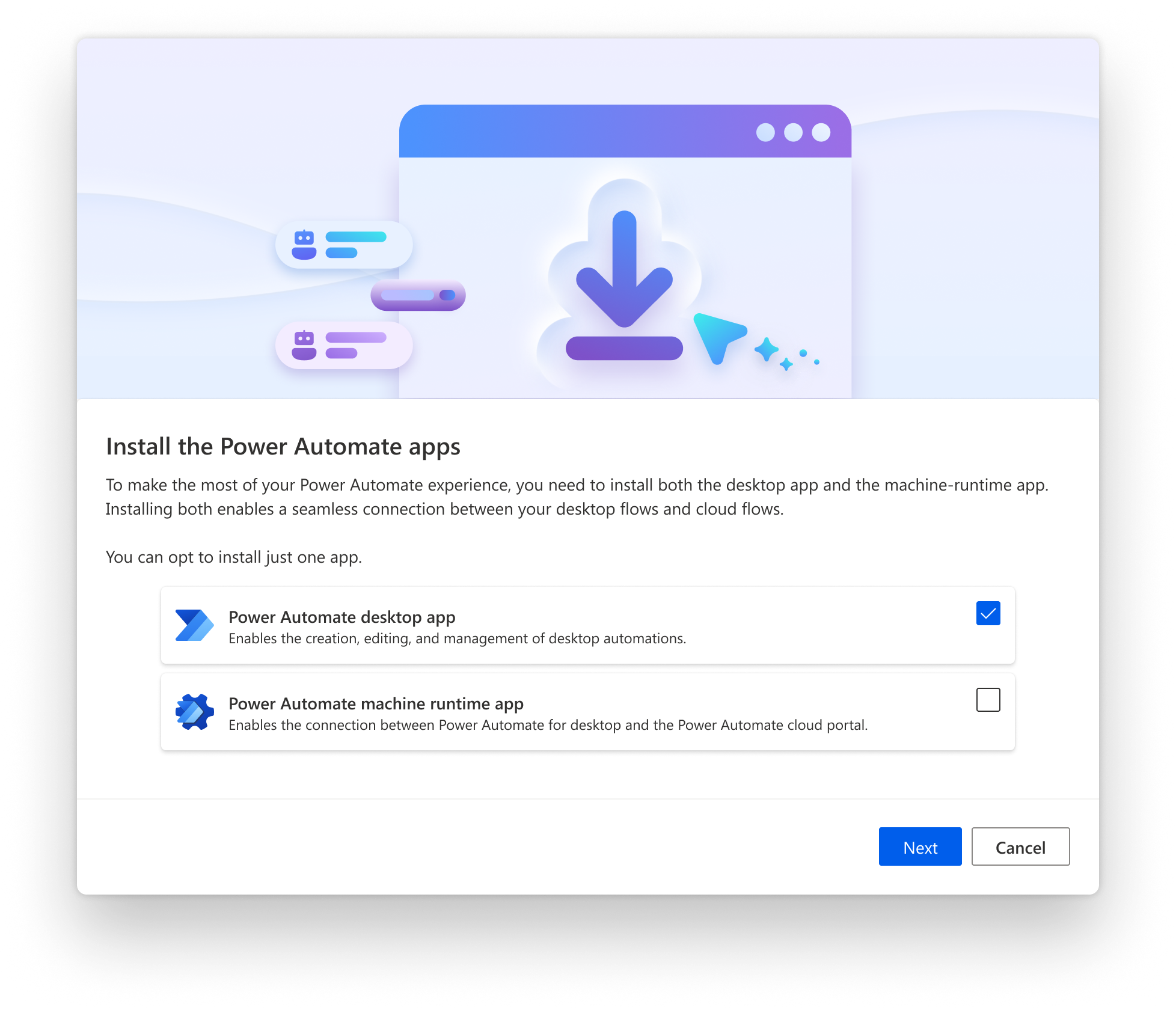
✔️ Analyzed NPS survey data and customer support insights for dealing with key customer request of update
✔️ Removed cognitive overload on first user contact by improving label groupings
✔️ Removed unnecessary process steps and create clarity from the start over which apps users can select to download and install
Step 2
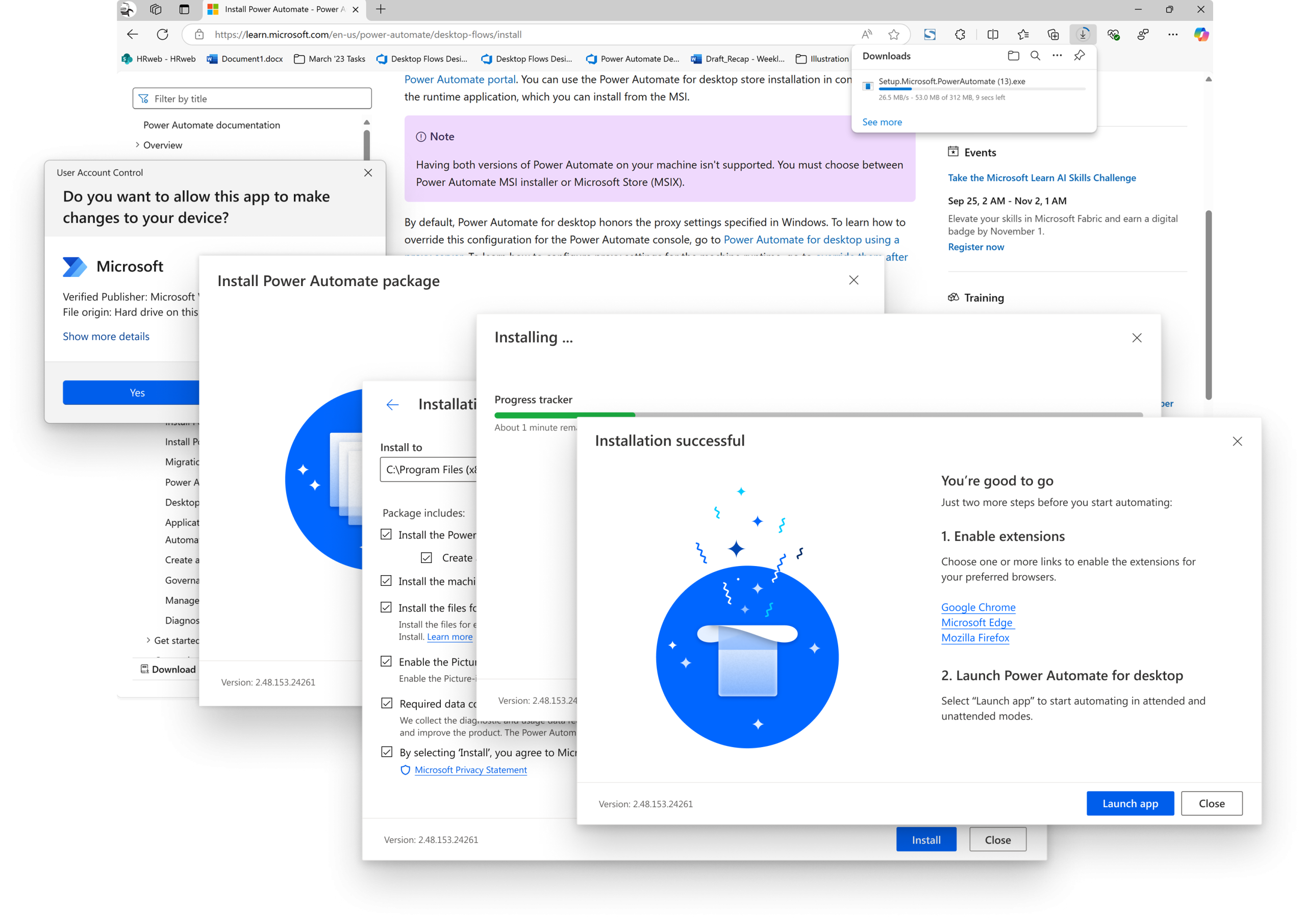
✔️ Improved navigation throughout the process by applying an appropriate wizard design pattern (MS Fluid Design system) at the modal footer
✔️ Applied clear messaging and proper UI controls and states to user selections
✔️ Grouped advanced settings with progressive disclosure for beginner users that don’t have familiarity with RPA
Step 3
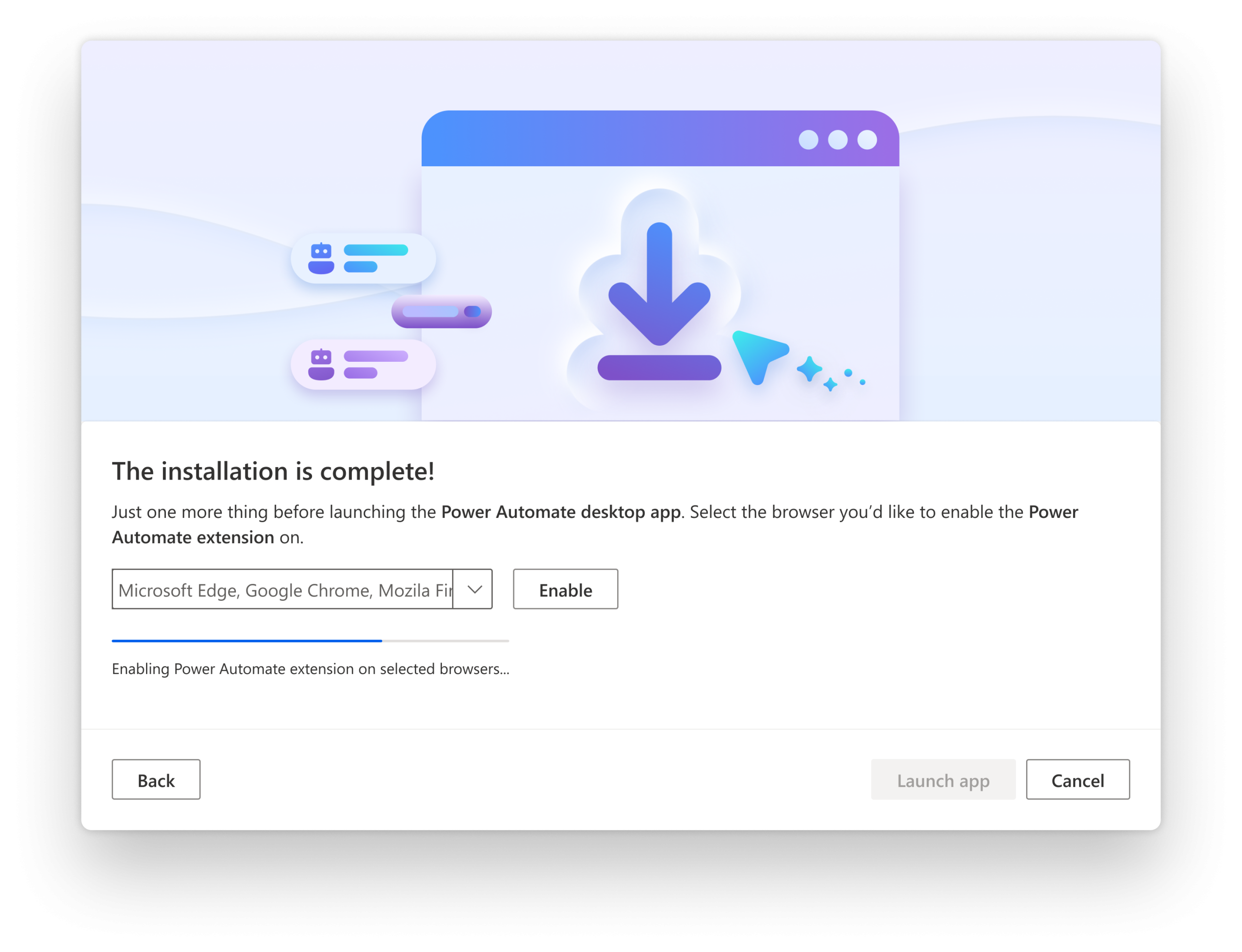
✔️ Modernized modal design and reworked spot illustration style (MS Enterprise Illustration system)
✔️ Introduced background checks and added automated steps decreasing overall process duration and saving user’s time (instead of instructing them to jump to other environments for finishing up)
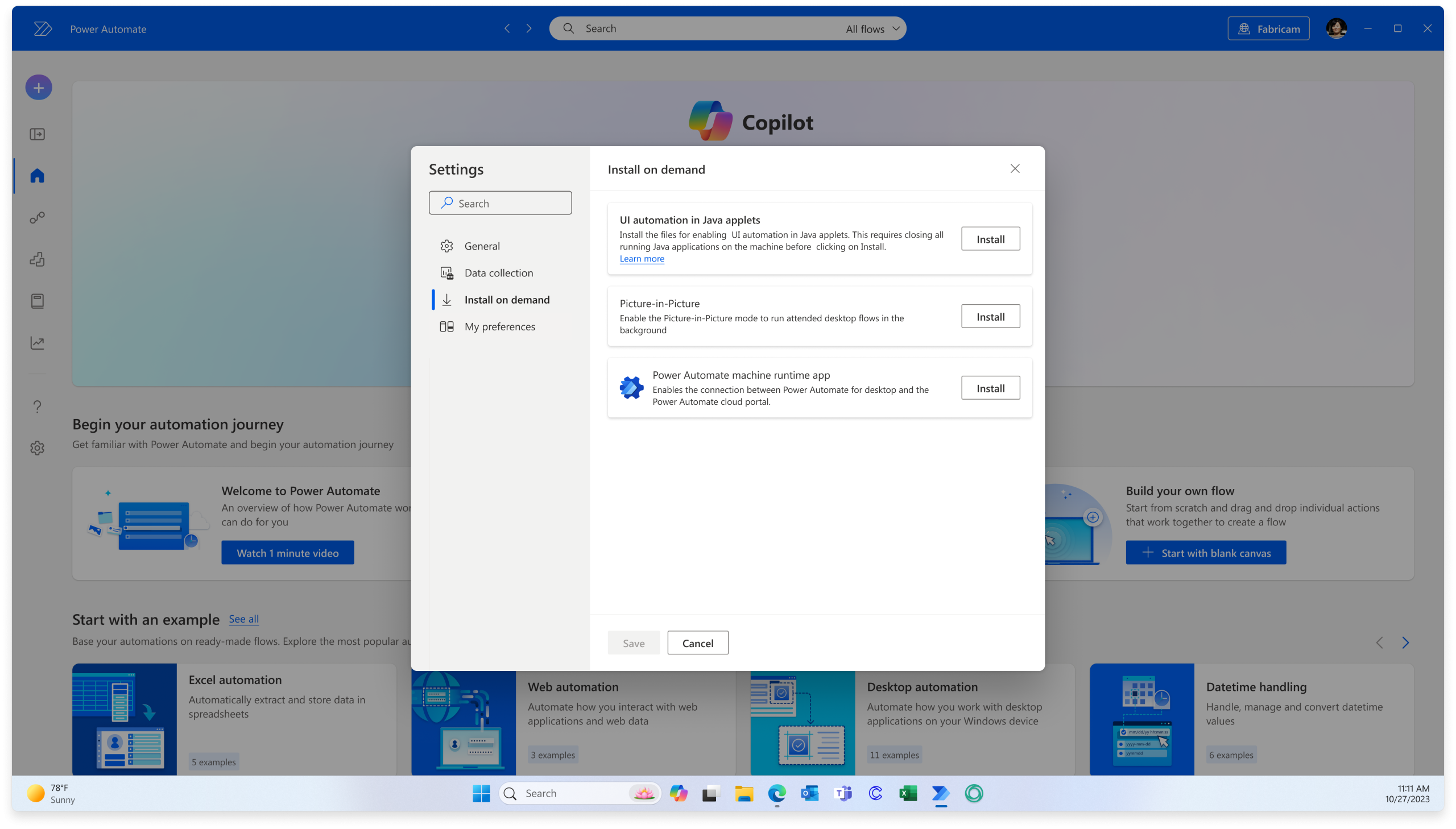
Step 4
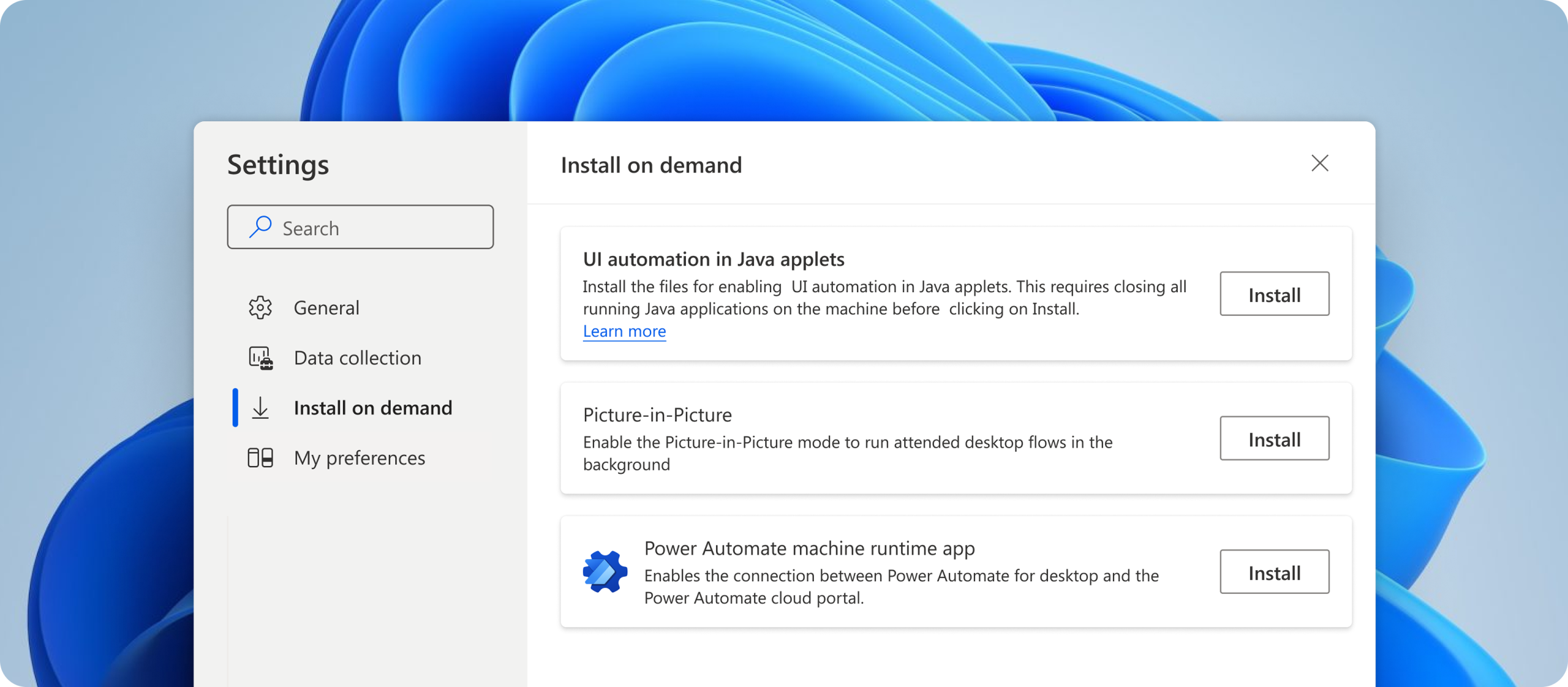
✔️ Created “Install on-demand” functionality where users can get started with basic software installation on first-run without having to install everything at first and revisit this feature after later on depending on evolving needs and/or preferences
CONTACT →
